Deploy Angular v19 to GitHub Pages
GitHub Pages is a static site hosting service that takes HTML, CSS, and JavaScript files straight from a repository on GitHub, optionally runs the files through a build process, and publishes a website. GitHub Pages is available on public repository for free account, public and private repository for Pro account. Each account can only create one GitHub pages.
In this article, I am going to demonstrate how to deploy Angular v19 into GitHub Pages.
Requirement
Before we start you need to have:
- an GitHub account
- Installed Angular CLI in your machine
- Any IDE (example: Visual Studio Code)
- Know about GitHub workflow will be better
GitHub Pages repository
We need to create a public repository for GitHub Pages hosting. There are some requirements on the repository name for the GitHub Pages.
| User and organization sites | Project sites | |
|---|---|---|
| Source files | Must be stored in a repository named <account>.github.io, where <account> is the personal or organization account name | Stored in a folder within the repository that contains the project’s code |
| Limits | Maximum of one pages site per account | Maximum of one pages site per repository |
| Default site location | http(s)://<account>.github.io | http(s)://<account>.github.io/<repositoryname> |
We are going to setup GitHub Pages for personal account, so we will referring User and organization sites section. Let said my account username is firstwan, my repository name will be firstwan.github.io and site URL will be https://firstwan.github.io.
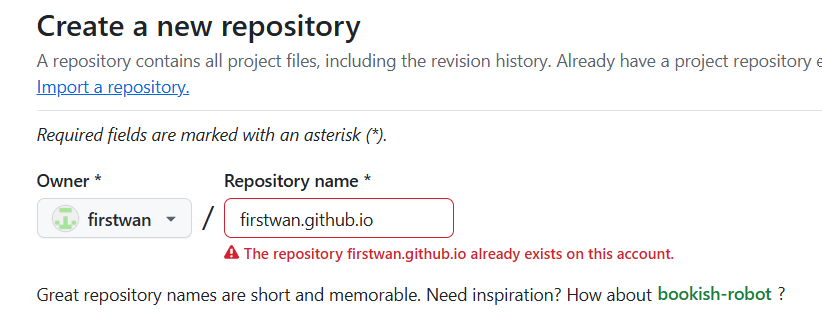
Ignore the warning, I have this warning is because I already created this repo.
Create an Angular project
Open your favorite IDE and create a Angular project with
1
ng new github-pages
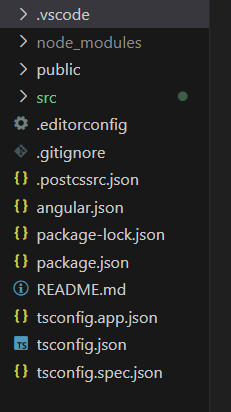
Go through all the selection with your preference. You had created a new Angular project.
Create GitHub workflow for Angular
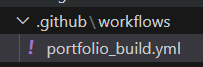
Add a new folder name .github\workflows. Add a new YAML file into that folder, you can name whatever you want. For my repository, I name it portfolio_build.yml.
Copy the below into your YAML file
1
2
3
4
5
6
7
8
9
10
11
12
13
14
15
16
17
18
19
20
21
22
23
24
25
26
27
28
29
30
31
32
33
34
35
36
37
38
39
40
41
42
43
44
45
46
47
48
49
50
51
52
53
54
55
56
57
58
59
60
61
62
63
# This workflow will do a clean installation of node dependencies, cache/restore them, build the source code and run tests across different versions of node
# For more information see: https://docs.github.com/en/actions/automating-builds-and-tests/building-and-testing-nodejs

name: Portfolio GitHub Page CI

on:
  push:
    branches: [ "main" ]
  pull_request:
    branches: [ "main" ]
  workflow_dispatch:

jobs:
  angular-build:
    name: Angular Build
    runs-on: ubuntu-latest
    strategy:
      matrix:
        node-version: [22]
        # See supported Node.js release schedule at https://nodejs.org/en/about/releases/
    steps:
    - name: Checkout source code
      uses: actions/checkout@v4

    - name: Use Node.js $
      uses: actions/setup-node@v4
      with:
        node-version: $
        cache: 'npm'
        cache-dependency-path: package-lock.json

    - name: Perform clean install dependencies
      id: dependencies
      run: npm ci

    # - run: npm test

    - name: Build
      id: build
      run: npm run build:prod

    - name: Upload dist folder to page artifact
      id: deployment
      uses: actions/upload-pages-artifact@v3
      with:
        path: ./dist/browser

  angular-deploy:
    name: Angular deploy
    needs: [angular-build]
    runs-on: ubuntu-latest
    # Grant GITHUB_TOKEN the permissions required to make a Pages deployment
    permissions:
      pages: write      # to deploy to Pages
      id-token: write   # to verify the deployment originates from an appropriate source
    # Deploy to the github-pages environment
    environment:
      name: github-pages
      url: $
    steps:
      - name: Deploy to GitHub Pages
        id: deployment
        uses: actions/deploy-pages@v4
This is a GitHub workflow YAML file, in the summary:
- Create a workflow name
Portfolio GitHub Page CI - This workflow will be trigger when new commit in
mainbranch. - It will perform 2 jobs every time it run:
angular-buildandangular-deploy - Each job will setup a virtual ubuntu OS.
- Job
angular-buildwill clone the code from the repository, setupNode.jswith version 22, install all the dependencies of the project and build production ready artifact from the project. Finally, it will update the artifact into GitHub Workflow and let other job to download this artifact. - Job
angular-deploywill download the artifact from GitHub Workflow and deploy into GitHub Pages.
Moreover, we also need to modify the build command in package.json. Add new command build:prod into package.json.
1
"build:prod": "ng build --output-path=dist --configuration=production"
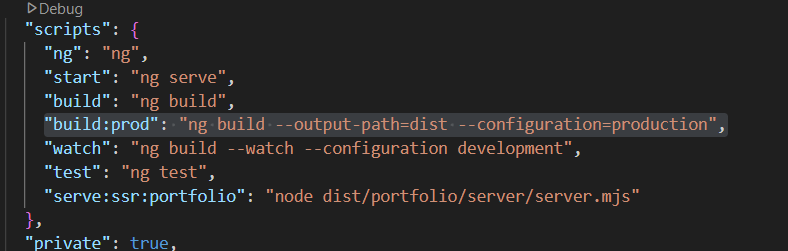
ng build: Angular CLI build command.—output-path: Flag that specific the output directory.—configuration: Flag that specific use which configuration specific inangular.json
Example artifact after running npm run build:prod
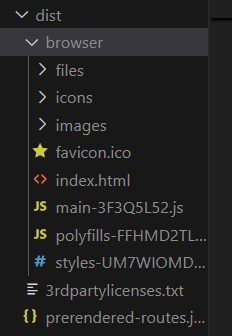
If you read the official Angular intruction before, you might notice the other article or the official Angular specific to include
base-hrefflag on theng buildcommand. But this is not the case for personal GitHub Pages, you don’t have to specific thebase-hrefif you are using your username as project name.When Angular building a project, it will create few JavaScript file for browser to build the necessary HTML and CSS. If you included
base-href, your application will not able to load. This is because it unable to found the necessary JavaScript file to build the HTML for you page.For example, the JavaScript file URL hosted with GitHub Pages is
https://firstwan.github.io/angular-RANDOM_STRING. If includedbase-href=/project-name/when building you project, the browser will request the JavaScript file withhttps://firstwan.github.io/project-name/angular-RANDOM_STRING.
Configure GitHub Pages
Check in all the thing inside the project with follow command:
1
2
3
4
5
6
git init
git remote add origin <your github repo URL>
git branch -M main
git add .
git commit -m "Initial commit"
git push -u origin main
Go to your repository in GitHub > Settings > Pages.
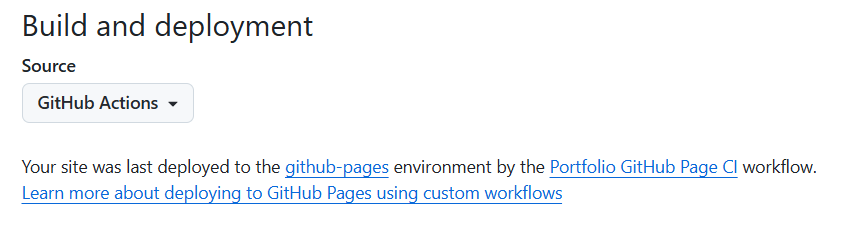
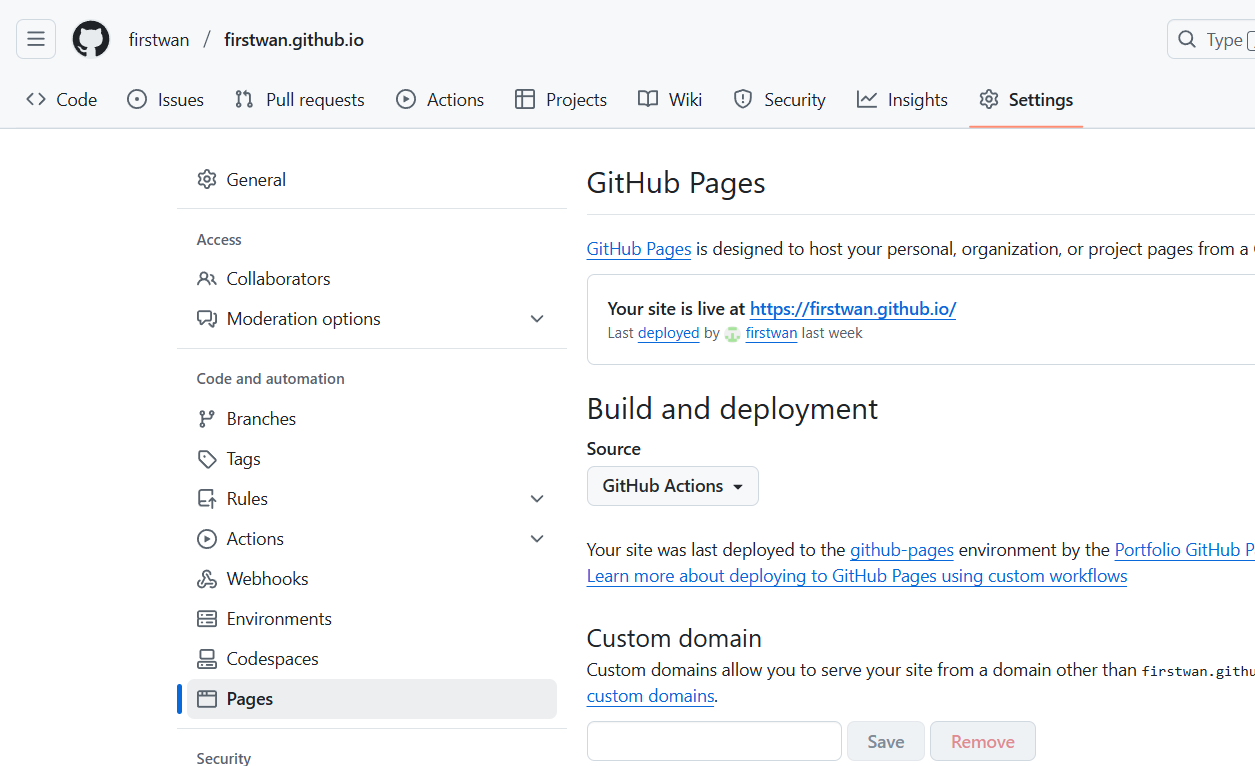 Select the GitHub Actions under Source under Build and deployment.
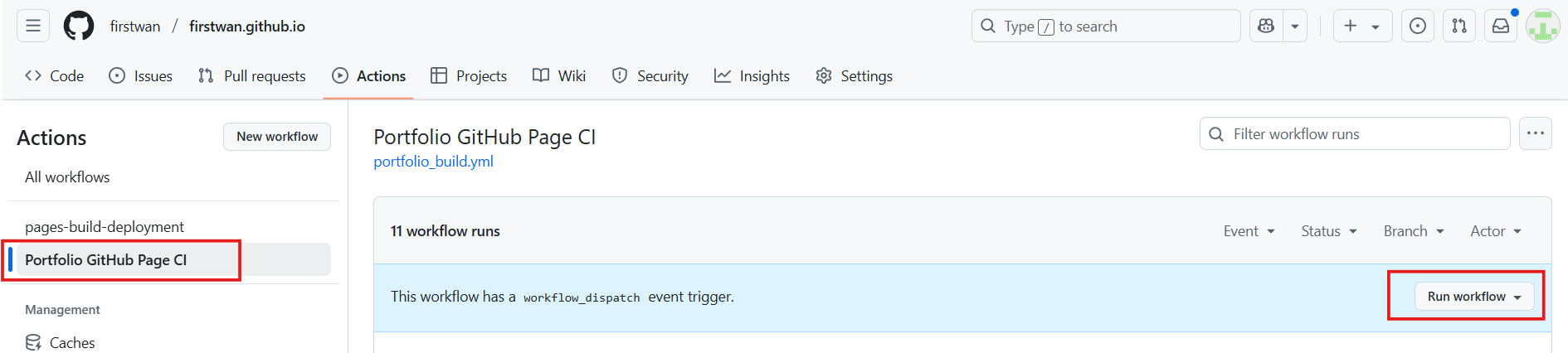
 Go to Actions tab, check is your workflow running.
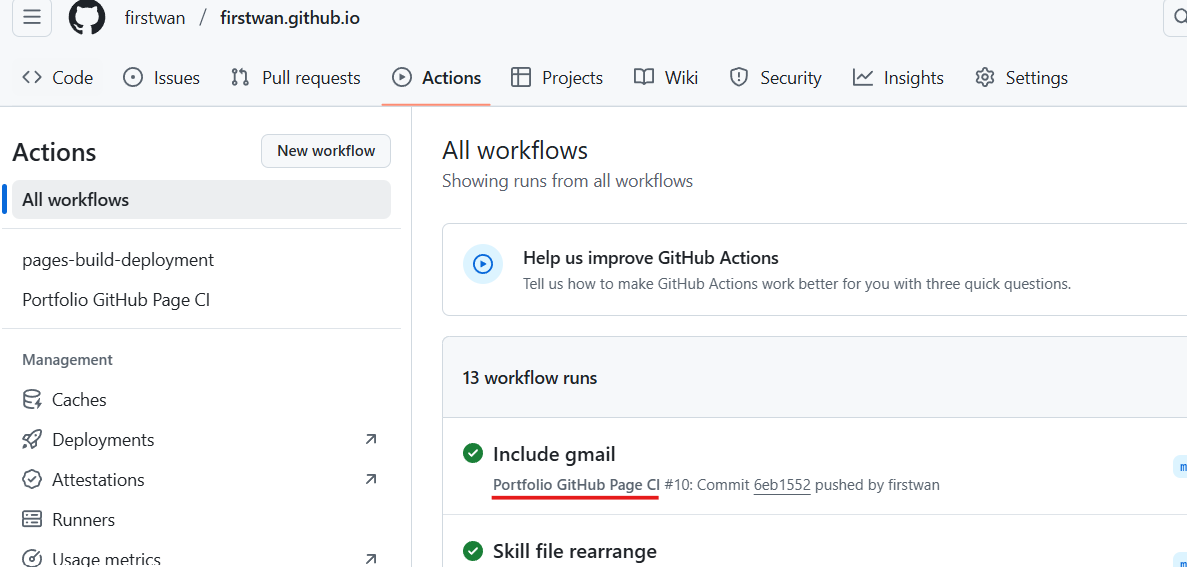 If not, you can trigger yourself.
Verification
After the workflow completed and success, you can verify you GitHub Pages via https://<username>.github.io
Consolusion
We had create a new Angular project, setup a CI/CD GitHub workflow for this project. We have successful hosting our website into GitHub Pages for free. The workflow will be trigger everytime a new changes push to the main branch.