Auth log analyzer
An automation script that can extract details such as user creation, user deletions, password updates, and users who executed sudo commands from auth.log.
Introduction
Machine logs contain multiple of valuable information on user activities, and machine service status. Some of the information might include the indicator of compromise. But these log files usually contain a lot of different event messages and they happen simultaneously and become hard to read for human eyes.
This project is to create a Python script to analyze log files and create a comprehensive output for different events. Events included new user creation, user running sudo command, user changing password, etc.
Proof of functionality
Location of auth.log
Before the Python script starts analyzing the log, it needs to know where to find the log file. The default file path for auth.log is /var/log/auth.log, but sometimes we need to analyze the log file downloaded from other machines.
Let’s define an optional option that accepts the file path from the user, it will take the default log file path if we don’t get the file path from the user.

We use argparse module to define the available option. For this project, we only have one option for the user to decide which auth.log file to analyze. We add an option by calling the add_argument method.
- Metavar: A name for the argument in the help menu.
- Default: The default value if not using this option. We put it as None for file path validation later.
- Help: The option description will display on the help menu.
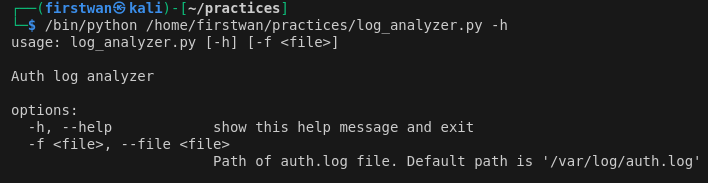
The /var/log/auth.log on the local machine is a protected file, we will need proper permission to access it. Hence, we have a layer of checking to see if the user is accessing the /var/log/auth.log file and has proper permission to access it.


Since /var/log/auth.log only allows the root user to access it, we use os.getuid() to get the user id who running the script. Since the root user ID will always be 0 for every machine, we can ensure that the user has the proper privileges if his/her user id is 0. If the user id is not 0, the user can run the script with the sudo command to run the script as the root user.
Read the file
After we have the file path, we can read the file with the open method.
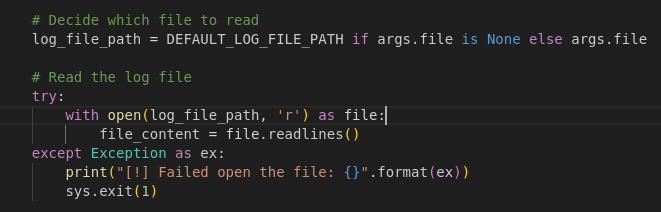
We add a fail-safe exception handling to prevent any exception that will crash the script when reading the file, and output a simple and meaningful error message.

Extract information from the log
Auth.log contains a lot of different information and it is ordered by timestamp. Hence it is hard for human eyes to read and analyze it. This project will group different information into different categories, and users can take different actions based on the information gathered from the log.
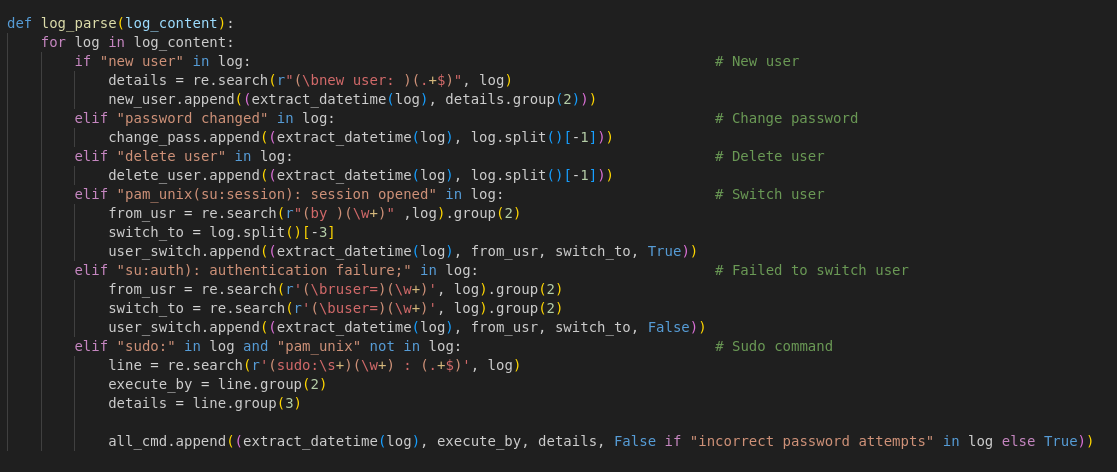
This log_parse method will group information into different categories. It will loop through every line of the log file and group together by different keywords. For example, the new user created the machine.



Most of the detailed information can be extracted with the re – regular expression module. We can use one of the regex testing websites like Regex101 to test the regex formula before applying it in the script.
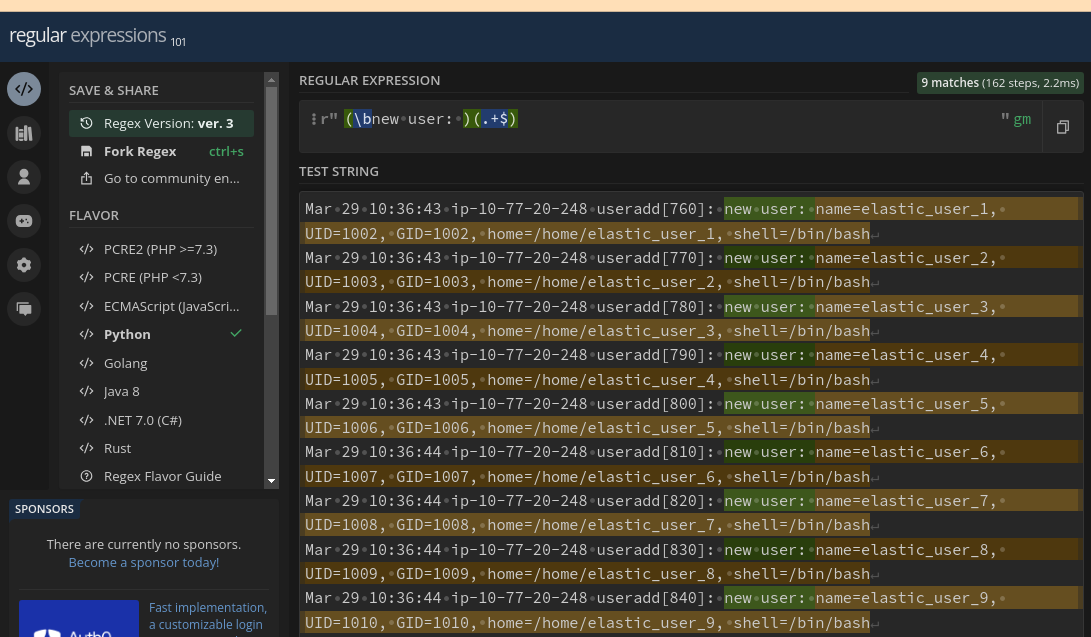
As above regex formula, the information we are interested in after “new user: ”. We use “()” – brackets to separate into group 1 and group 2, we then can specifically extract only group 2 into our list.

Furthermore, every line of the log contains the timestamp and we also need this information. Hence, let’s create a function to extract just the timestamp. Different machines have different formats to log the timestamp, mostly falling under 2 formats, “Apr 10 11:56:25” or “2024-08-17T14:35:29.155880+08:00”.

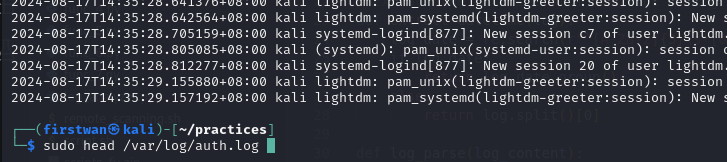
We can regex module to find the timestamp in “Apr 10 11:56:25” format, but if it is not found, we will get the first string of the log line.

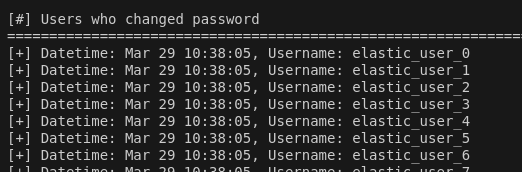
We use similar methods to gather different information like when the user changes the password and when the user is deleted.

It doesn’t have much useful information from the log, so we will just get the name of the user and when it happens.
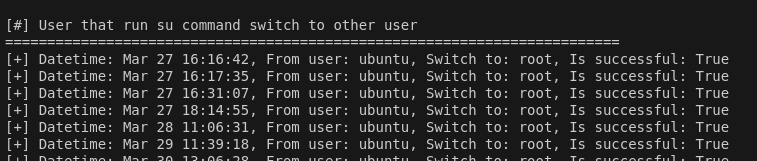
Furthermore, we were able to gather switch user events from the log.

Similar to others, we use regex module to gather which user is running su command to switch to which user. I will need to know the password of another user in order to perform a switch user action. Therefore, the last boolean in the tuple is to indicate if the user successfully switches to another user. It will be False if the log showing “su:auth): authentication failure;” indicates that the user doesn’t know the password of another user.
Last but not least, we were able to gather all the commands run by users.

We filter out the log with “sudo:” and without “pam_unix”, pam_unix only appears on the open session line, and that line doesn’t contain any command run by a user.

With the regex filter, we are able to extract the username and other details of the command like the directory that runs that command, run as which user, etc.
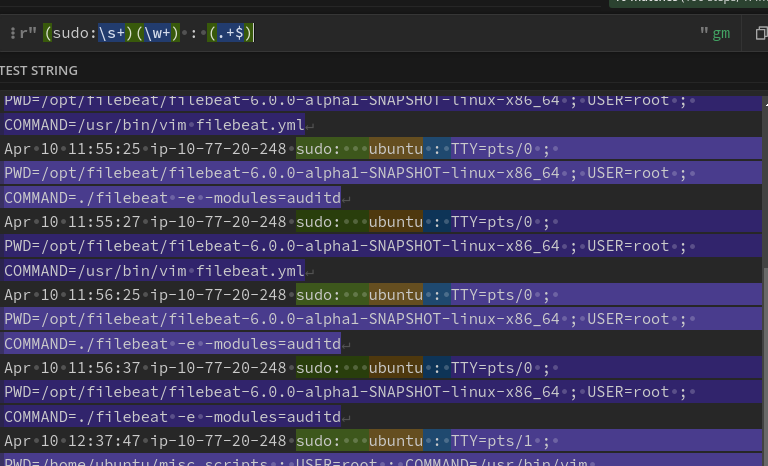


The last boolean indicator is to check if the sudo command was successfully executed. User needs to enter their password in order to run the sudo command. If the user failed to enter the correct password, it might be an indicator that the user’s account had been compromised.


Print out result
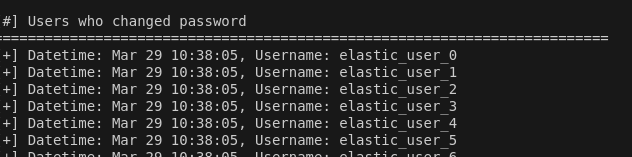
After we gather all the information, we print it out as a summary report to the user.

As a first summary, we only want to display all the commands from the log, no matter failed or were successful. We use regex to extract the commands only and output it.












Conclusion
We had create a basic Python script to extract information from auth.log and create a summarize report for easier analysis.
You can access the Python script from my GitHub.
Reference
- Jain, M. (2023, December 5). How to log commands of all users runs in Linux - Mayank Jain - Medium. Medium.
- Dams, C. (2023, September 22). Logging all commands executed by any user in Linux to Wazuh. Medium.
- Xcitium. (n.d.). What Is Log Rotation?
- Nkmk. (2023, August 22). Extract a substring from a string in Python (position, regex). note.nkmk.me.
- Extract names from string with python Regex. (n.d.). Stack Overflow.
- W3Schools.com. (n.d.).
- What is the best way for checking if the user of a script has root-like privileges? (n.d.). Stack Overflow.
- argparse — Parser for command-line options, arguments and sub-commands. (n.d.). Python Documentation.